SavEdge for shops

More customers through your door.

List offers for SavEdge members nearby, redeem them with one scan, and get paid for bills members settle with points.

Already a partner? Get the SavEdge Vendors app below.

A bakery owner welcoming a SavEdge member

Points payment · Riya S.

+₹0

Ready to settle

No new machines. No changes to your billing.

  1. 1

    Tell us about your shop

    Share a few details and the offers you’d like to run. We’ll get in touch to talk it through.

  2. 2

    Get set up

    We check your shop, set up your account in the SavEdge Vendors app and give you a QR stand for the counter.

  3. 3

    Welcome members

    Members find your offers, scan your QR and save. Every visit and payment shows up in your app.

Offers that bring people in.

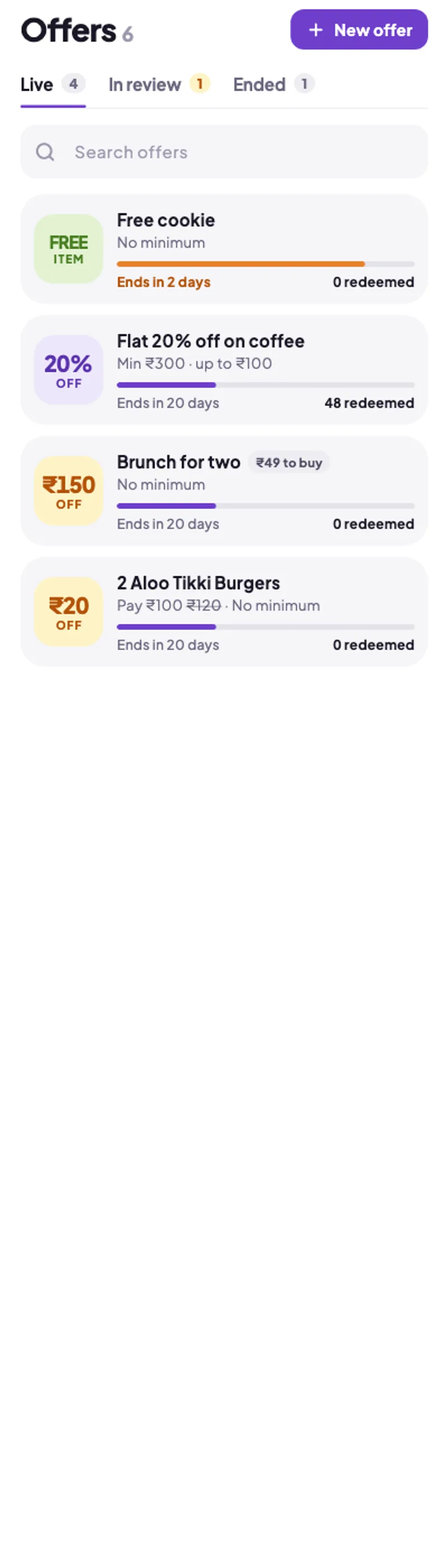
Choose what works for your business and change it as you learn. Our team reviews each offer before it goes live.

  • Percent off, flat off, free item or a deal price
  • Your own minimum bill, dates and limits
  • See how often each offer is redeemed
Live offers in the SavEdge Vendors app

Points bills, paid out on request.

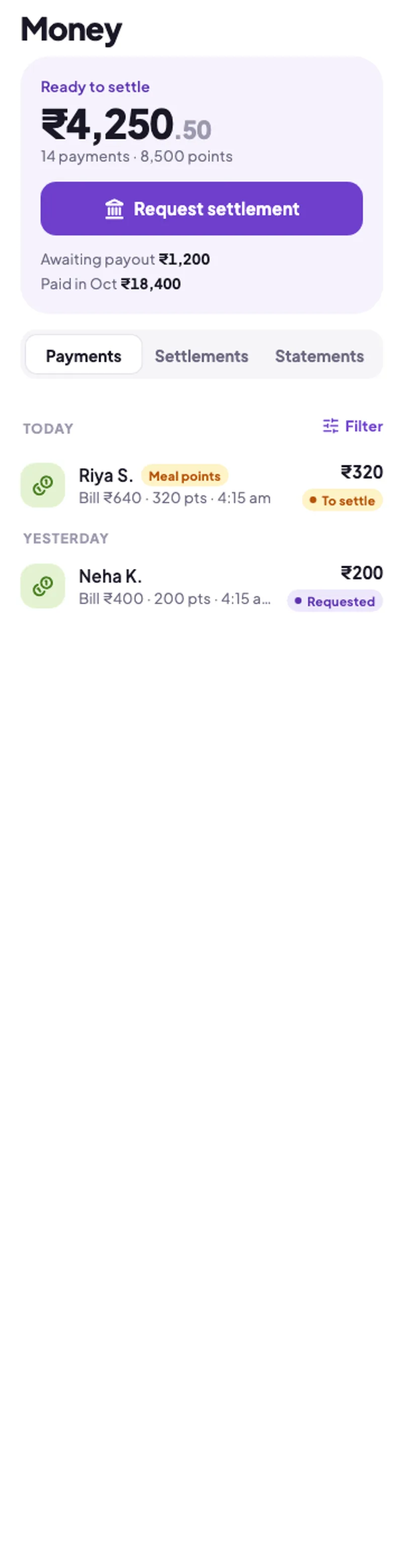
When members pay with points from their company, you see it instantly. Request a settlement whenever you like.

  • Every payment, with time and amount
  • Request settlements in a tap
  • Statements for your records
Money ready to settle in the SavEdge Vendors app

Know who comes back.

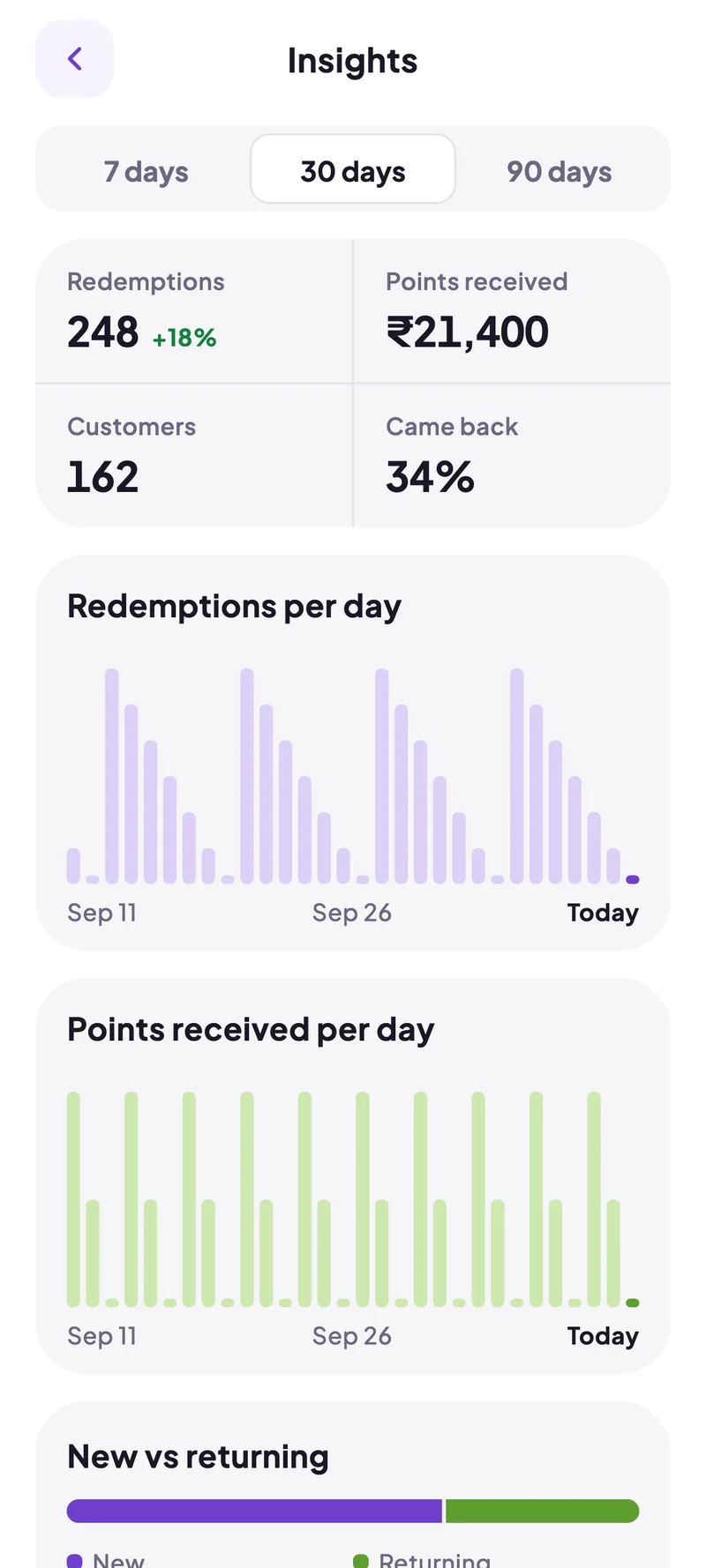
Redemptions, points received and new versus returning customers — at a glance, every day.

  • Daily redemptions and points
  • New and returning customers
  • Ratings and reviews from members
Insights in the SavEdge Vendors app

Questions from shop owners.

Can’t find what you need? Write to us.

  • A smartphone for the SavEdge Vendors app. Once your shop is approved we set up your account and give you a SavEdge QR stand for the counter — that’s all members need to redeem.

Let’s bring members to your door.

Tell us about your shop. If you’re already a partner, get the SavEdge Vendors app.